Laboratory products
Wireless Digital Imaging - With the EP50 Stand-alone Network Camera
Sep 03 2019
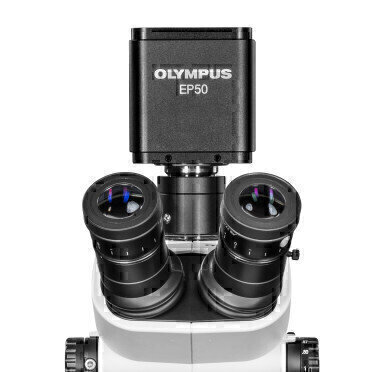
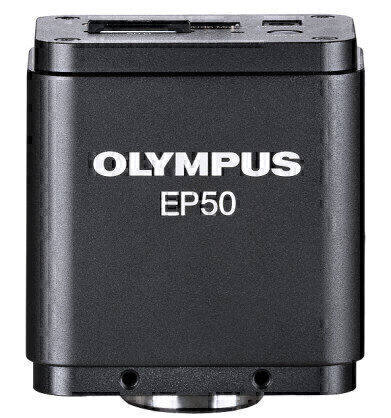
Bring your application into the digital world and combine the new Olympus EP50 camera with our wide range of microscopes. It can also be mounted on every microscope with the microscope manufacturer’s camera adaptors.
The Olympus EP50 camera makes digital imaging of microscopy samples a fast and engaging experience and is ready to use in seconds.
It adds sophisticated digital features to any microscope and is particularly effective at saving time and enabling interactive scenarios, using wired or wireless network connectivity.
Convert each microscope into a wireless imaging system and enhance collaboration in the classroom.
Inspiring Enthusiasm
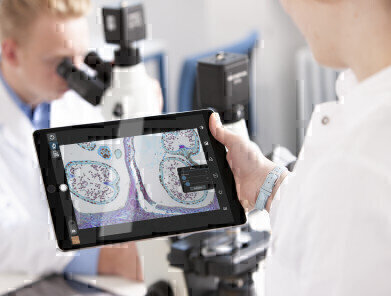
Breaking away from static microscope labs, the EP50 camera and WLAN adaptor can transform the classroom into a dynamic, interactive space.
- Flexible camera control and viewing options: connect using mobile devices or WLAN-enabled PCs/laptops via wireless or wired LAN connection
- High-quality, crisp, 5-megapixel images
- Fast frame rates enable students to navigate quickly through the specimen
Interactive Learning
The flexible camera control and viewing options offered by the complimentary free EPview app software expand interaction and collaboration possibilities:
- Control the EP50 camera using the free EPview app for mobile devices or software for PCs/laptops (see specs for version compatibility)
- Up to 6 users can connect their devices to the same WLAN-enabled EP50 camera
- Access the images of other EP50 cameras in the classroom(*)
- Capture, process, store, and share the EP50 camera's images through the easy-to-use software interface
- Simultaneous live image output via WLAN and HDMI
*The frame rate may be lower depending on the available network infrastructure capabilities/performance.
Engaging Lectures
Lecturers and students can both benefit from the image sharing, viewing, and storage options of the EP50 WLAN-enabled camera:
- Live stream images to a group of students on their mobile devices or WLAN-enabled PCs/laptops
- Display specimen images on a high-resolution monitor, projector, or interactive white board connected to the camera’s HDMI port
- Insert an SD card and save captured image data for further analysis
Improved Learning Process
- Students can experience a digital-image-supported learning process:
- Students can work comfortably, on their own or in collaboration, using the camera’s On-Screen Display (OSD) imaging software
- The OSD software is simple and intuitive
- Easily capture, view, and process specimen images and movies
- Save observation data for further investigation on an SD card
Stand-Alone Mode
With only a monitor and a USB mouse, users can control the EP50 camera using its On-Screen Display (OSD) software.
This setup has several advantages:
- Easy-to-use user interface for education and professional learning applications
- No PC required, reducing equipment costs and space requirements in a classroom
- Increased flexibility as less bench space is needed
- Observe the live image, record images on an SD card, or measure images with variety of annotations

Digital Edition
Lab Asia Dec 2025
December 2025
Chromatography Articles- Cutting-edge sample preparation tools help laboratories to stay ahead of the curveMass Spectrometry & Spectroscopy Articles- Unlocking the complexity of metabolomics: Pushi...
View all digital editions




Events
Jan 21 2026 Tokyo, Japan
Jan 28 2026 Tokyo, Japan
Jan 29 2026 New Delhi, India
Feb 07 2026 Boston, MA, USA
Asia Pharma Expo/Asia Lab Expo
Feb 12 2026 Dhaka, Bangladesh